
Planning guideNovember 2026
Your business number across devices
Use your ReliaRing extension in a browser or on a compatible SIP desk phone. Find the mobile apps in the App Store and Google Play. Windows and macOS are in testing. A ReliaRing app for Microsoft Teams is planned.
Download PDF 1.9 MB
- ReliaRing extension
- 1
- App licence fees, every plan
- $0
- People in a video meeting
- 6
Your team works from home, from client sites and from the truck. So calls go out from personal mobiles, customers save private numbers, and none of it lands in the call record. When someone leaves, your biggest account keeps calling their cell.
Use your business number from the browser or a registered desk phone. The mobile apps and the desktop clients in testing use the same ReliaRing extension. The planned Teams app will give staff another place to open their ReliaRing phone.
Staff call and text from their own phones, and customers only ever see the business number.
The same extension rings the desk phone, computer, mobile and browser together. Answer on whichever is closest.
The apps come with every ReliaRing plan. There is no per-seat app licence and no tier that unlocks them.
One extension rings every device you are signed in on
- InboundCaller
dials your business number
- ReliaRingYour extension
one identity, hosted in Canada
- Rings togetherDesk phoneWindows or Mac betaiOS or Android app
push wake-up
Browser tab - AnsweredFirst to answer
takes the call; calls out show your business number
Pick the screen that suits the moment
Windows
The full workspace in a native window
- Stays in the system tray when closed
- Compact phone on Ctrl+Shift+K, pinned on top
- Unread count on the taskbar icon
- Opens tel: and callto: links to dial
- Silent install for Intune: /S /allusers
Windows 64-bit (x64); per-user or all-users installer
macOS
One universal app, Intel and Apple Silicon
- Menu bar access when the window is closed
- Compact phone on Cmd+Shift+K
- Unread badge on the Dock icon
- Developer ID signed and notarized by Apple
- Answer, hang up and mute from the keyboard
Mac with Intel or Apple Silicon; drag-to-Applications disk image
iPhone and iPad
Business calls on the native call screen
- Rings on the lock screen like any call
- Push wake-up when the app is closed
- Face ID, Touch ID or device passcode app lock
- Scan a portal QR code to sign in
- Speaker, headset and Bluetooth audio routes
iOS 16.4 or later; iPhone and iPad
Android phones and tablets
Your extension on Android phones and tablets
- Lock-screen incoming calls with call-display permission enabled
- Push wake-up when the app is closed
- Fingerprint or device PIN app lock
- Scan a portal QR code to sign in
- Handles tel: and sms: links
Android 7.0 (API 24) or later; phones and tablets
Browser
Nothing to install, on any computer
- Phone drawer on every portal page
- Blind and consult-first transfer
- Park a call on an orbit
- Video meetings with screen sharing
Chrome, Edge, Firefox or Safari, with a microphone
From new user to first call
Add the user
An administrator creates the user and extension in the portal. The apps need no SIP settings.
Sign in
On a computer, install the app or open the portal and sign in with password, MFA or SSO.
Scan the code
Scan the single-use QR code from the portal. Unused codes expire in 24 hours by default.
Grant permissions
Allow the microphone, and notifications on mobile, so calls can ring when the app is closed.
Answer anywhere
Every signed-in device rings with the desk phone. The first one to answer takes the call.
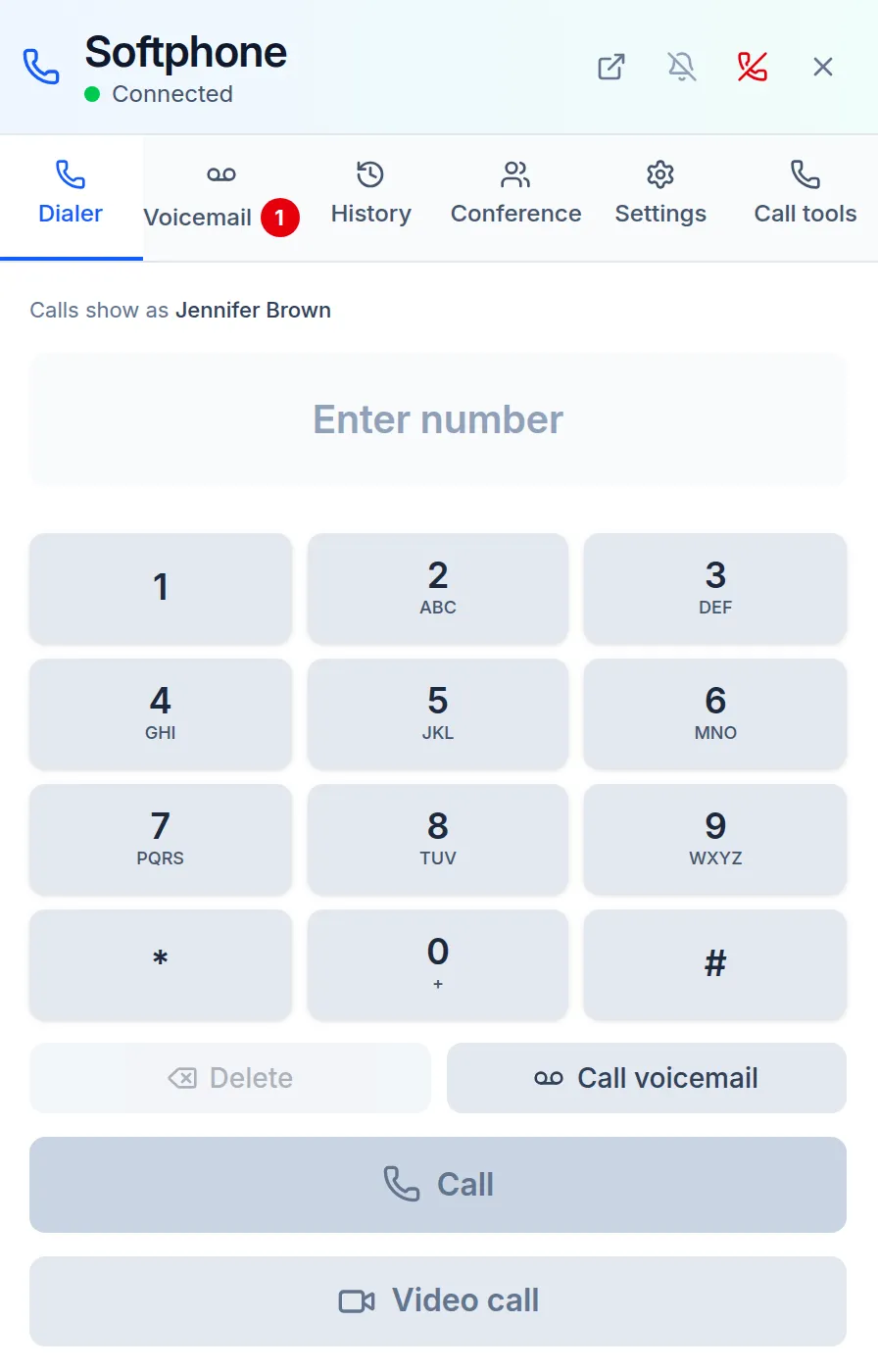
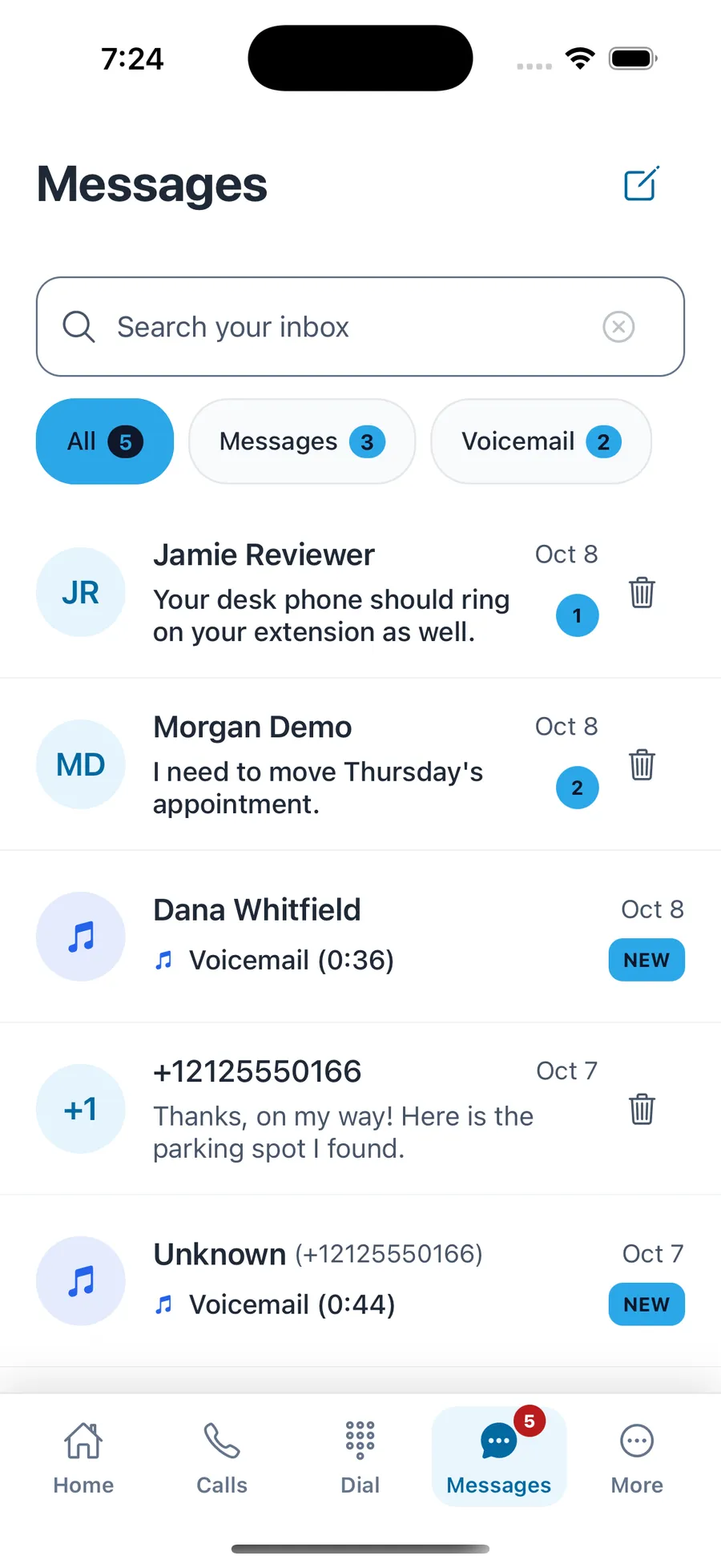
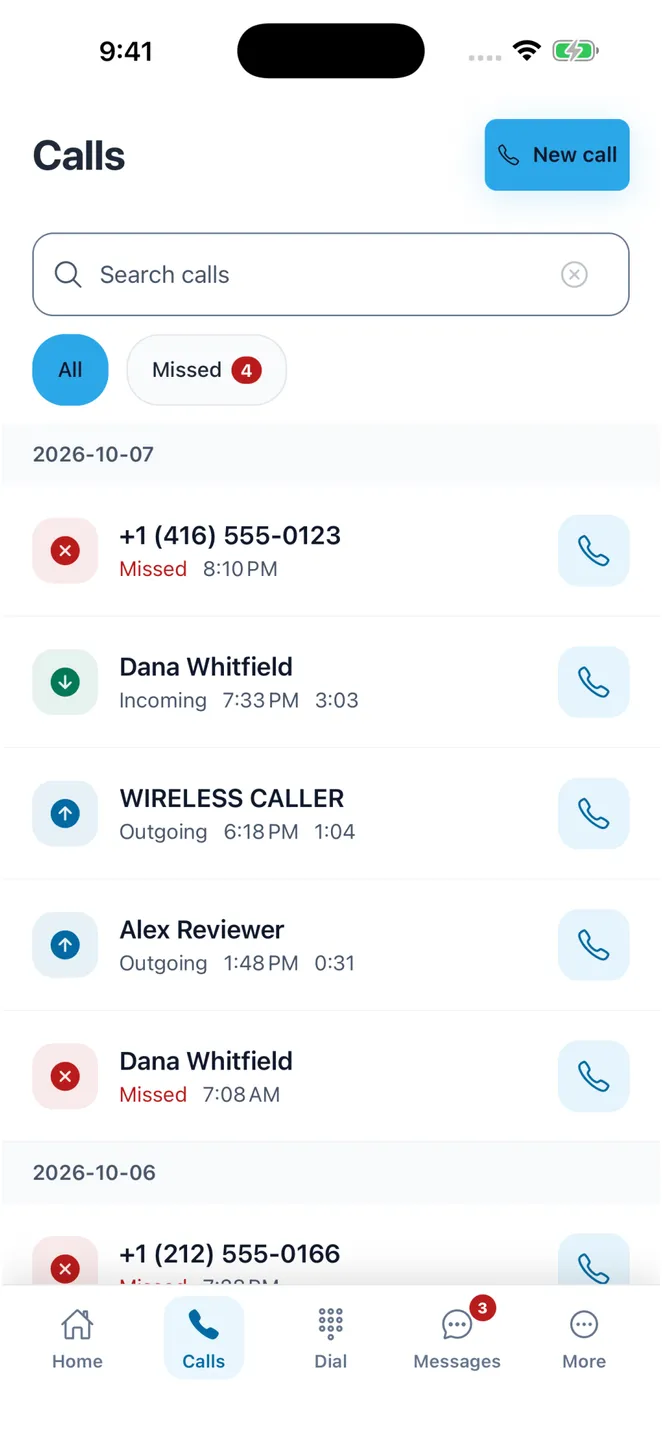
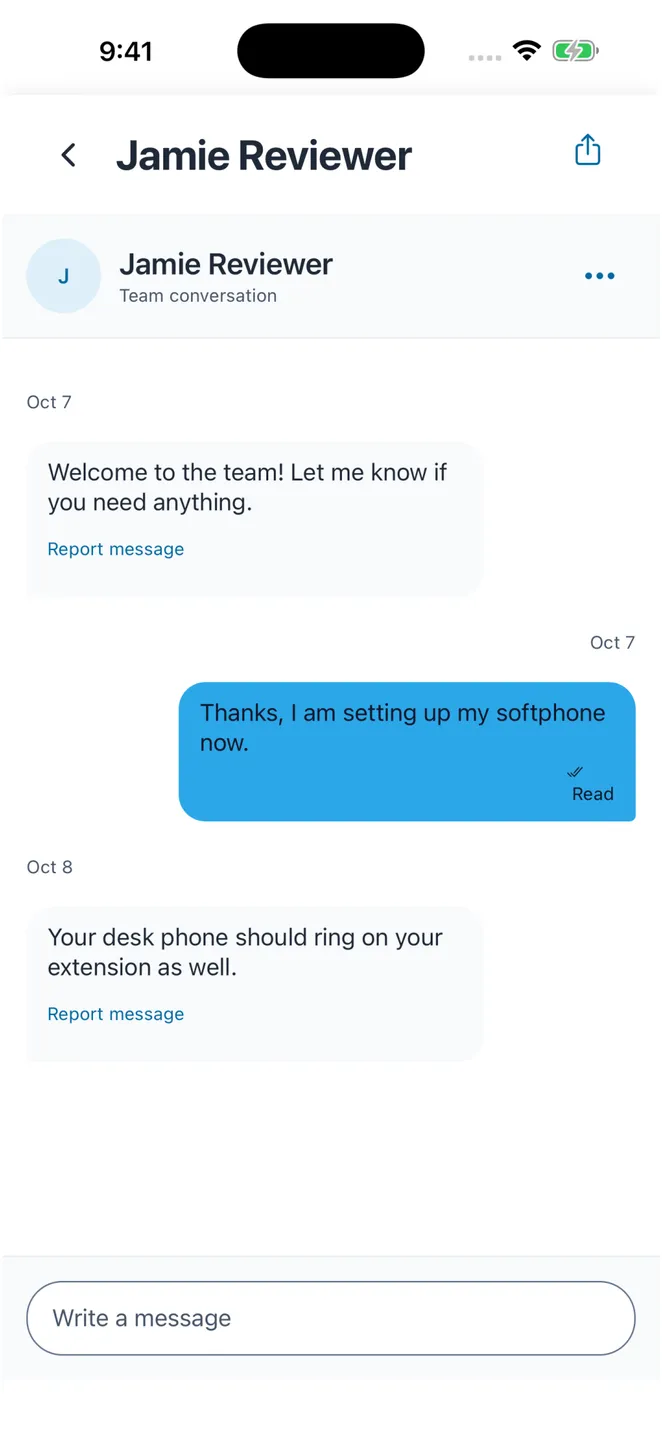
Real screens from the browser phone and the mobile app
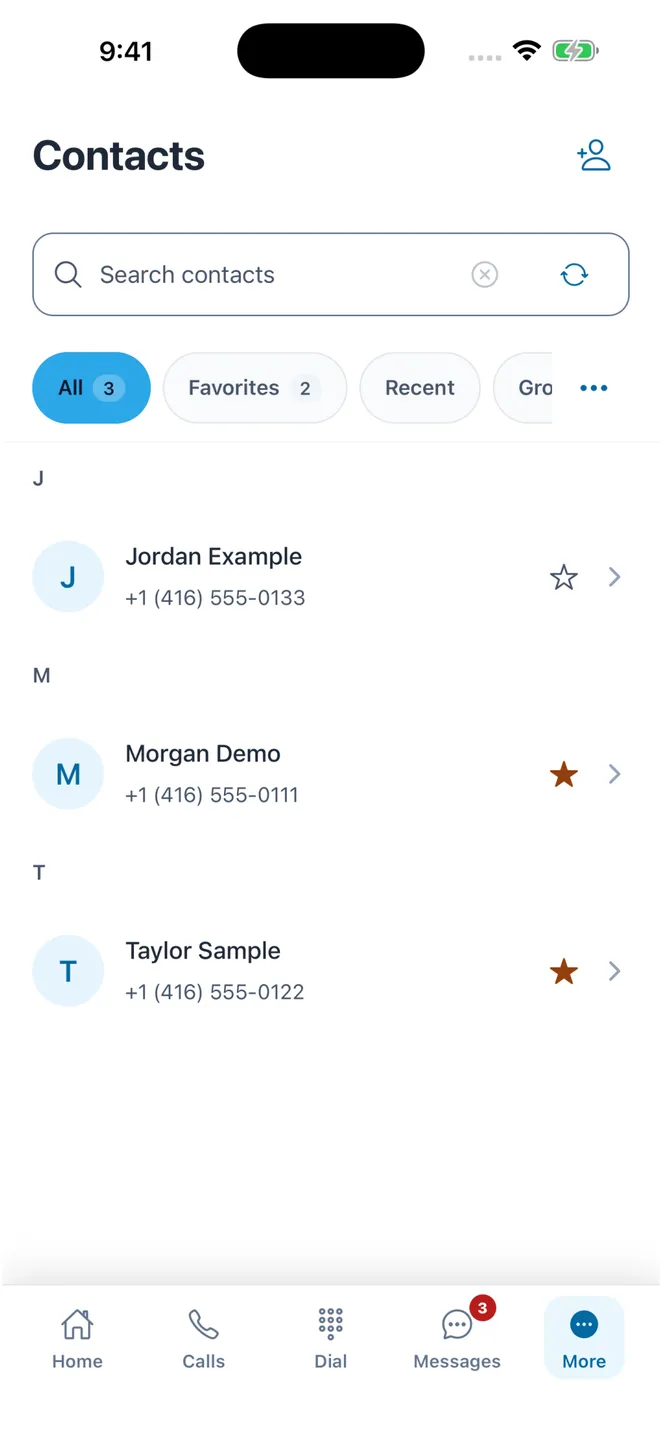
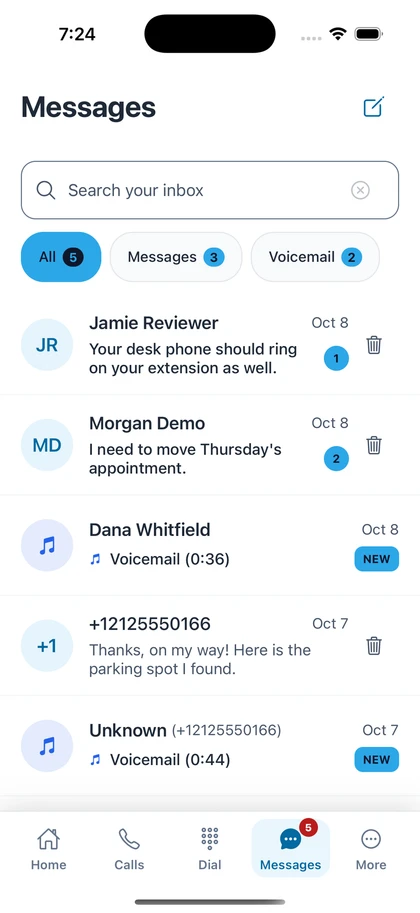
Where the apps earn their keep
Property manager on the road
A tenant calls the office line. It rings the desk phone and the manager's iPhone together; she answers in the truck, and her callback shows the office number.
Clinic front desk
The receptionist keeps the compact phone pinned over the booking system, checks who is free on the switchboard and drags the caller to that extension.
IT lead onboarding staff
A new hire starts Monday. IT pushes the Windows installer through Intune and emails a sign-in QR code. Removing the leaver signs out and unregisters their apps.
What each app does
| Capability | Windows | macOS | iPhone | Android | Browser |
|---|---|---|---|---|---|
| Make and receive calls | Included | Included | Included | Included | Included |
| Hold, mute, keypad, blind transfer | Included | Included | Included | Included | Included |
| Consult-first (attended) transfer | Included | Included | Not included | Not included | Included |
| Voicemail (transcripts: Professional and up) | Included | Included | Included | Included | Included |
| Business SMS | Included | Included | Included | Included | Included |
| Team chat | Included | Included | Included | Included | Included |
| Video meetings, up to six people | Included | Included | Not included | Not included | Included |
| Fax (with a ReliaFax subscription) | Included | Included | Included | Included | Included |
| Presence | Included | Included | Included | Included | Included |
| Push wake-up for incoming calls | Not included | Not included | Included | Included | Not included |
| Compact, keep-on-top phone | Included | Included | Not included | Not included | Not included |
| Operator switchboard | Included | Included | Not included | Not included | Included |
| Managed deployment (Intune / Jamf) | Included | Included | Not included | Not included | Not included |
| Three-way call (join a consult call) | Included | Included | Not included | Not included | Included |
What you can do from any of them
Per-device notifications
Choose which devices alert you for calls, voicemail, texts, chat and fax.
Lock-screen ringing
On iPhone and Android, incoming calls wake the app and ring on the lock screen.
Call transfer
Transfer an active call to another extension or number from the web phone.
Voicemail on every device
Play a message, call back or share it. Transcripts on Professional plans and up.
Business texting
Send and receive SMS from your business number, where texting is enabled on the account.
Team chat
Message colleagues from the same app you take calls on.
Video meetings
Meet with up to six people from the computer or browser, with screen sharing.
Presence
See who is available, on a call or on Do Not Disturb before you transfer.
Compact phone
On Windows and Mac, shrink the app to a small phone that can stay on top.
Operator switchboard
Receptionists see extensions, queues and parked calls on one board and drag to transfer.
Settings that follow you
Sync browser and desktop auto-answer and ringer settings, mobile app lock, and notification privacy from the portal.
Fax in the app
Send and read faxes in the same workspace, with a ReliaFax subscription.
Deploy, update and revoke
- Provision phones by QR: single-use codes, emailed or bulk-generated, with an expiry you set (default 24 hours).
- Deploy signed installers silently: Windows through Intune (/S /allusers), the notarized universal Mac app through Jamf.
- A machine policy file switches off self-update, so IT ships each version on its own schedule.
- See each member's signed-in apps; sign one out or remove it. Removal deletes that device's SIP credentials.
- Calls from any app appear in the same call detail record as desk-phone calls; there is no separate, lesser record for software clients.
- Mobile sign-in codes are single-use and expire. Removing or suspending a member revokes their sessions and app registrations and signs their apps out.
The technical summary
| Platforms | Windows, macOS, iPhone and iPad, Android phones and tablets, browser |
|---|---|
| Windows | 64-bit (x64) installer; per-user or all-users install |
| macOS | Universal app for Intel and Apple Silicon |
| iPhone and iPad | iOS 16.4 or later |
| Android | Android 7.0 (API 24) or later |
| Browser | Chrome, Edge, Firefox or Safari, with a microphone |
| Technology | WebRTC audio and video, Opus codec, signalling over secure WebSocket |
| Devices per user | Three mobile or desktop apps by default, plus two browser sessions; desk phones are separate |
No app licence to buy
Included with every ReliaRing plan
Solo
$13.99 CAD/mo
1 user included, up to 3
Starter
$41.49 CAD/mo
3 users included, up to 10
Most popular
Professional
$132.00 CAD/mo
10 users included, up to 25
Business
$305.00 CAD/mo
25 users included, up to 250
Enterprise
$555.00 CAD/mo
50 users included, no ceiling
ReliaRing is a brand of Tridacom IT Solutions Inc. Prices are in Canadian dollars unless marked USD, exclude applicable taxes, are current as of November 2026 and may change. Business signup accepts Canadian and US billing addresses. Number availability and supported destinations vary by service.